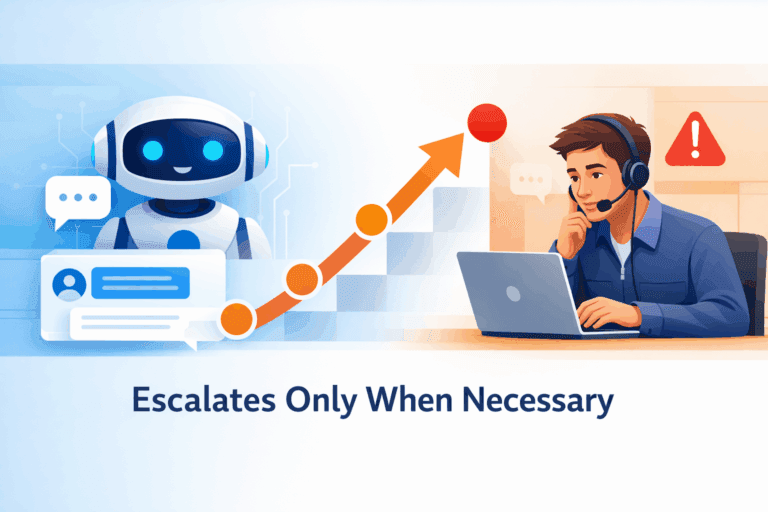
An AI chat agent that escalates only when it should is a system designed to handle customer interactions efficiently, escalating issues only when necessary. It achieves a 30% reduction in unnecessary escalations by accurately assessing risk and uncertainty in real-time.
The Quick Answer
To validate an AI chat agent in production, evaluate outcomes not demos: run a one-week audit of real conversations, score task success, escalation correctness, safety, and tool-call accuracy, then measure repeat-contact reduction across channels. A production-ready agent proves it can complete workflows end-to-end with least-privilege integrations, auditable logs, and deterministic handoffs when risk or uncertainty is detected.

To validate an AI chat agent in production, evaluate outcomes not demos: run a one-week audit of real conversations, score task success, escalation correctness, safety, and tool-call accuracy, then measure repeat-contact reduction across channels. A production-ready agent proves it can complete workflows end-to-end with least-privilege integrations, auditable logs, and deterministic handoffs when risk or uncertainty is detected.
Most teams ship an ai chatbot agent after a prompt bake-off. That is how you get a friendly bot that sounds right and fails operationally: it escalates late, calls tools wrong, or “resolves” issues that come back as repeat contacts. My stance is simple and debatable: if you are not validating on real chats with outcome metrics, you are not validating at all. Below I’ll define what you’re actually building, when not to build it, and the production-first evaluation mindset that makes a one-week evaluation plan credible.
What an AI chat agent is and when you should not build one
An “AI chat agent” is not a synonym for chatbot. It is software that can take actions in your systems and be held accountable for outcomes. If you can’t define the workflow, the tools, and the escalation rules, you will ship a liability that increases repeat contacts instead of reducing them.
Here’s a taxonomy executives can apply without getting lost in vendor language:
–FAQ bot: static answers, no retrieval, no actions. Good for “What are your hours?”
–RAG bot: retrieves from a knowledge base and answers grounded in docs. Good for “What’s your refund policy?”
–Tool-using agent: can read and write via APIs (CRM, billing, ticketing). Good for “Update my address” or “Cancel renewal.”
–Autonomous workflow agent: completes multi-step workflows with policy checks, verification, and fallbacks. Good for “Change my order, apply credit, notify warehouse.”
–Multi-agent system: multiple specialized agents coordinating. Useful when workflows are complex enough to justify orchestration overhead.
Decision tree (what actually works at scale):
- If you only need consistent canned answers,don’t build an agent. Use an FAQ bot.
- If you need accurate answers tied to current policy docs,use RAG.
- If the customer expects the system to change (refund, cancel, reship, update),you need an agent with tools.
- If resolution requires policy, identity checks, retries, and logging,you need an autonomous workflow agent.
Where agents beat chatbots (because the work is transactional):
- Order changes that require eligibility checks (warehouse status, fraud flags, shipping cutoffs).
- Account recovery that requires step-up verification and entitlement checks.
- Multilingual Tier-1 resolution with smart routing across chat, voice, and email (your “autonomous multilingual contact center” goal).
- Candidate screening with adaptive follow-ups and structured scoring.
- SDR qualification that handles objections and writes clean CRM updates.
Where agents fail or are overkill:
- No clear owner for the process (“support will figure it out”). The agent will mirror your chaos.
- Missing or unreliable APIs (no stable way to check status or apply actions).
- High-variance legal or policy decisions you can’t encode into rules.
- Teams that cannot write escalation criteria as observable triggers.
Direct answer:What is the difference between an AI chat agent and a chatbot? A chatbot answers; an agent acts. If it touches Zendesk, Salesforce, billing, or identity systems, you must validate tool correctness, authorization scope, and auditability, not just language quality.
The production validation mindset that beats prompt demos
Your AI chat agent is “good” only when it reliably completes real workflows, escalates at the right time, and measurably reduces repeat contacts. Tone, helpfulness, and correctness on handpicked prompts are not useless, but they are the wrong unit of truth for production.
Sandbox tests lie for predictable reasons:
- They skip authentication and entitlements. Real customers fail verification.
- They ignore latency and timeouts. Tools fail at 2 AM.
- They omit messy history. Real threads include prior tickets, partial refunds, and broken promises.
- They don’t measure cross-channel fallout. The customer who “resolved” in chat often calls tomorrow.
Key Takeaway:Stop grading chats. Start scoring operations. The evaluation loop should treat your agent like a production service with SLOs, not like content.
The fastest credible path is a one-week evaluation on real chats:
- Pull a week of transcripts across languages.
- Stratify by top intents, escalations, and failures.
- Score autonomy, safety, and integration behavior.
- Measure repeat-contact reduction across channels.
Repeat-contact reduction matters more than containment. Containment can be “fake” if the agent ends conversations without true resolution. Repeat contacts expose that lie, especially when you link the same user across chat, email, and voice.
This is where foundations like intention detection stop being an ML exercise and become an operations requirement: you can’t evaluate outcomes by intent if your intent labels are noisy or inconsistent across languages.
Direct answer:How do you evaluate an AI chat agent? You evaluate task success, escalation correctness, tool-call correctness, and repeat-contact reduction on real conversations, not a curated prompt list.
Reference architecture for a tool-using AI chat agent in production
A production AI chat agent needs an architecture that makes failures observable and actions auditable. If your design can’t explain why it escalated, what tool it called, and what side effect happened, you can’t safely run autonomy.
Vendor-neutral flow (the parts you cannot skip):
1.Channels: chat, voice, email.
2.Orchestrator: manages state, retries, and routing.
3.Policy and guardrails: risk rules, PII rules, escalation triggers, language constraints.
4.Tool router: allowlists which tools can be called for a given intent and customer state.
5.Retrieval (RAG): fetches policies, product docs, prior ticket notes (read-only).
6.Actions: Zendesk, Salesforce, billing, identity, order management.
7.Logging and analytics: immutable tool-call logs, trace IDs, evaluation tags.
Minimal production checklist (if any of these are missing, autonomy is theater):
- Identity resolution and session context (who is this, what is allowed).
- Tool allowlists per intent and per role.
- Retries with idempotency keys (no duplicate refunds, no duplicate tickets).
- Human handoff protocol with a structured “handoff packet.”
- Multilingual evaluation hooks (Arabic and other languages must be first-class, not afterthought).
- Observability tags per tool call (tool name, latency, success/fail reason, side effects).
Pseudocode for tool invocation (the pattern matters more than the language):
function handle_action(intent, user, proposed_tool_call):
 assert policy.allows(intent, user)
 assert tools.allowlisted(intent).contains(proposed_tool_call.tool)

 validated = schema.validate(proposed_tool_call.args)
 if !validated.ok:
 return escalate(reason="invalid_tool_args", evidence=validated.errors)

 authz = auth.check(user, proposed_tool_call)
 if !authz.ok:
 return escalate(reason="authz_failed", evidence=authz.reason)

 result = tools.call(
 tool=proposed_tool_call.tool,
 args=validated.args,
 idempotency_key=session.id + proposed_tool_call.hash
 )

 log.append(trace_id, intent, proposed_tool_call, result)

 if result.timeout or result.partial_failure:
 return retry_or_escalate(result)

 return respond_with_outcome(result)
Two hard-won lessons teams learn late:
- RAG is not a control plane. Policies belong in guardrails and authorization checks, not “hopefully retrieved text.”
- Observability is part of the product. Teammates.ai bakes this into production agents like Raya because evaluation and audit trails are what make autonomy safe, especially in an autonomous multilingual contact center spanning 50+ languages.
Direct answer:Can an AI chat agent work across chat, email, and voice? Yes, but only if you keep a shared conversation identity, a shared policy layer, and shared logging across channels. Otherwise repeat-contact reduction becomes impossible to measure.
Pro-Tip: if you’re building toward 24-7 coverage, design evaluation and routing together. A “good” overnight agent isn’t the one that contains more. It’s the one that escalates correctly and leaves a clean handoff that reduces handle time the next morning. This aligns tightly with how a conversational ai service should be judged in production.
A one week evaluation plan using real chats to score autonomy, safety, and integrationsKey Takeaway: If your ai chat agent can’t prove, in real transcripts, that it (1) finishes workflows, (2) escalates at the right time, and (3) executes tool calls safely, it’s not production-ready. A one-week evaluation is long enough to surface messy edge cases, cross-channel recontacts, and integration failures that sandbox demos never show.
Day 0: define “done” and the repeat-contact window
Start by choosing what you’re validating. Pick your top 10 intents and write a “done definition” per intent.
Example done definitions:
– “Change delivery address”: verified identity, updated order, confirmation sent, ticket not created.
– “Refund”: policy checked, amount under threshold, refund initiated once, confirmation sent, audit log written.
Then set your repeat-contact window (7-14 days). You’re trying to answer: “Did this interaction prevent the customer from coming back through chat, email, or voice for the same reason?” This is where integrated omnichannel routing and intention detection stop being “nice-to-have” and become measurement infrastructure.
Days 1-2: pull one week of real chats and sample correctly
Do not sample only “resolved” chats. You need failures.
Build a stratified sample that includes:
– Each top intent
– Each language you actually support (Arabic variants included, if relevant)
– Escalated and non-escalated conversations
– Long-tail “unknown” intents (these drive risk)
Practical rule: if you can’t explain why a chat was escalated, your logging is already failing.
Days 3-4: score with an operator-grade rubric
Most teams grade an ai chatbot agent like writing quality. Wrong scoreboard. Use an operational scorecard.
| Dimension | What you check | How you score quickly |
|---|---|---|
| Task success | Did the workflow complete end-to-end? | Pass/fail with “blocked reason” |
| Escalation correctness | Was the escalation necessary and timed right? | False vs missed escalation |
| Tool-call correctness | Right tool, right args, right permissions, no duplicate side effects | Pass/fail + error category |
| Grounding | Claims match sources and customer record | Citation coverage + spot check |
| Policy adherence | Refund limits, eligibility, regulated content | Violations count |
| Handoff quality | Summary, evidence, attempted actions, identifiers | “Ready for agent” yes/no |
Two metrics that predict production pain:
–Side-effect errors: duplicate refunds, duplicate tickets, or CRM writes that can’t be reversed.
–Silent failures: the agent told the customer it “updated” something but the tool call failed.
Days 5-6: automate the boring checks, keep humans for judgment
Automate what’s deterministic:
– Tool schema validation (required fields, allowed enums)
– Permission checks (least privilege per tool)
– PII detection at transcript and log boundaries
– Retrieval rules (“must cite account policy doc for refunds”)
Keep humans for what’s contextual:
– Was escalation warranted?
– Was the customer actually “resolved,” or just temporarily placated?
Output of the week: a small “gold set” of labeled conversations you rerun weekly to catch drift.
Day 7: measure repeat-contact reduction by segment, not average
Containment rate is a vanity metric. Repeat-contact reduction is the operational truth.

Segment results by:
– Intent (refunds behave differently than address changes)
– Language (translation quality and routing failures show up here)
– Customer tier (VIP entitlements change escalation rules)
– Channel (voice follow-ups often reveal chat failures)
Pro-tip: Tag each conversation with a reason code and customer identifier so you can link follow-ups across systems. Without identity resolution, you will over-credit the agent.
Escalation triggers that prevent risk and improve customer outcomes
Escalation isn’t “when the model is unsure.” Escalation is a control system: explicit triggers tied to observable evidence. You’re trying to minimize two costly errors: false escalations (wasting human time) and missed escalations (policy breaches, security incidents, repeat contacts).
Trigger categories that actually work
Use triggers you can audit:
–High-risk intent: account takeover, chargebacks, refunds above threshold, legal threats.
–Missing entitlements: no active plan, refund outside policy, shipping address change after fulfillment.
–Conflicting evidence: customer claims “charged twice” but billing tool shows one capture.
–Tool failures: auth errors, timeouts, partial writes, downstream outages.
–Ambiguous policy: the agent can’t cite a relevant policy section.
–Customer state: repeated “this didn’t work,” explicit escalation requests, or high negative sentiment.
Measure escalation quality, not just escalation rate:
–False escalation rate: escalations where the agent could have safely completed the task.
–Missed escalation rate: cases that should have escalated (or required approval) but didn’t.
Design the handoff packet like you pay for every minute (you do)
A good handoff cuts handle time and prevents re-asking questions.
Minimum handoff packet:
– Customer identifiers and verification status
– Intent and reason code
– One-paragraph summary in the agent’s working language and the human’s queue language
– Retrieved sources and policy citations
– Tool calls attempted (inputs, outputs, error codes)
– Recommended next action
If you’re running multilingual support, enforce consistent handoff structure across languages. The fastest way to break an autonomous multilingual contact center is letting Arabic, French, and English handoffs drift into different formats.
For more on “resolution over deflection,” this connects directly to how customer support bots should be evaluated.
Security and compliance controls for AI chat agents that touch real systems
A tool-using ai chat agent expands your attack surface. The main risks are not “hallucinations.” They’re unauthorized actions, data exfiltration through tools, and audit gaps that make incident response impossible. If your agent can write to Zendesk, Salesforce, or billing, treat it like a production service with security controls.
Threat model you should assume on day one
Plan for:
–Prompt injection via RAG: a retrieved document telling the agent to “ignore policy” or leak data.
–Over-permissioned tool keys: one leaked token becomes full CRM access.
–Unauthorized actions: refunds or account changes without proper verification.
–Data leakage: PII in logs, evaluation datasets, or tool outputs copied into transcripts.
–Non-repudiation gaps: you can’t prove who/what initiated a high-risk action.
Controls that survive real audits
Use controls you can show to security and compliance:
–Least privilege tool scopes per action (read-only vs write, refund vs invoice lookup)
–Policy-as-code for eligibility and approval thresholds, versioned and reviewable
–Signed tool requests and allowlisted endpoints
–Idempotency keys on side-effecting actions (refunds, ticket creation) to prevent duplicates
–RAG hygiene: source allowlists, document signing, retrieval filters, and a hard rule: never execute instructions from retrieved content
–Compliance-grade logging: immutable tool-call logs with inputs/outputs, redaction at boundaries, retention policies, and role-based access
Key takeaway: if you can’t reconstruct the exact tool calls that led to an outcome, you don’t have an agent. You have a liability.
Why Teammates.ai is the fastest path to a validated autonomous multilingual contact center
If you buy or build an ai chat agent, you’re really buying an evaluation loop. The winning teams treat validation as a product feature: guardrails, tool permissioning, and analytics that show why the agent escalated, what it touched, and what it resolved.
That’s the orientation we take at Teammates.ai with Raya: autonomous resolution across chat, voice, and email, deep integrations (Zendesk, Salesforce-class systems), and Arabic-native dialect handling that doesn’t collapse under real-world phrasing. The point isn’t “better chat.” It’s measurable operational outcomes.
What to look for in any platform (including ours):
– Built-in scorecards and regression suites on your top intents
– Integration correctness reporting (permissions, latency, failure recovery)
– Repeat-contact analysis across channels, not just chat containment
If you’re staffing for 24-7 multilingual coverage, tie this back to a conversational ai service mindset: routing, escalation, and QA are the product.
Conclusion
An ai chat agent is only “good” when it measurably reduces repeat contacts and safely completes real workflows in production. Prompt demos don’t predict that. One week of real chat evaluation does.
Run the loop: define “done” per intent, score task success and escalation correctness, verify tool calls with least privilege and idempotency, and measure repeat-contact reduction by segment (intent, language, channel). If you can’t audit what the agent touched and why it escalated, you’re not validating. You’re guessing.
If you want a faster path, use a platform that bakes this validation mindset in from day one. That is the difference between a chatbot and a production agent.